UX Challenge
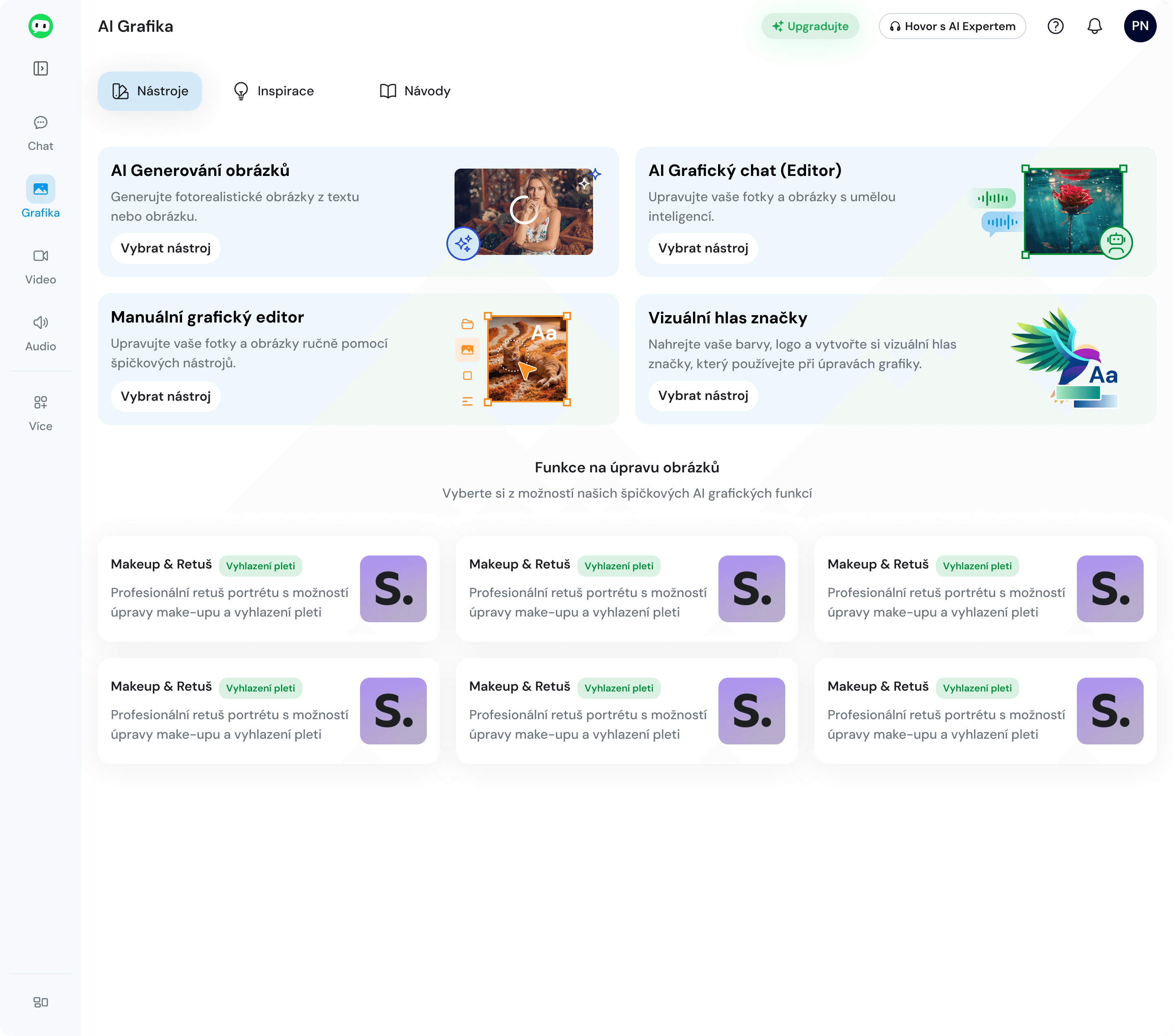
The dashboard acts as a hub for 4 main subtools — the user can immediately choose what they want to do (generation, manual editor, graphic chat, brand).
Below that are the most frequently used features, available in one click without the need to navigate into a tool.
Navigation is complemented by sections Tools, Inspiration, and Guides, a gallery of generated content, and tutorial videos.
👉 Simple entry, fast action, no searching.
Solution
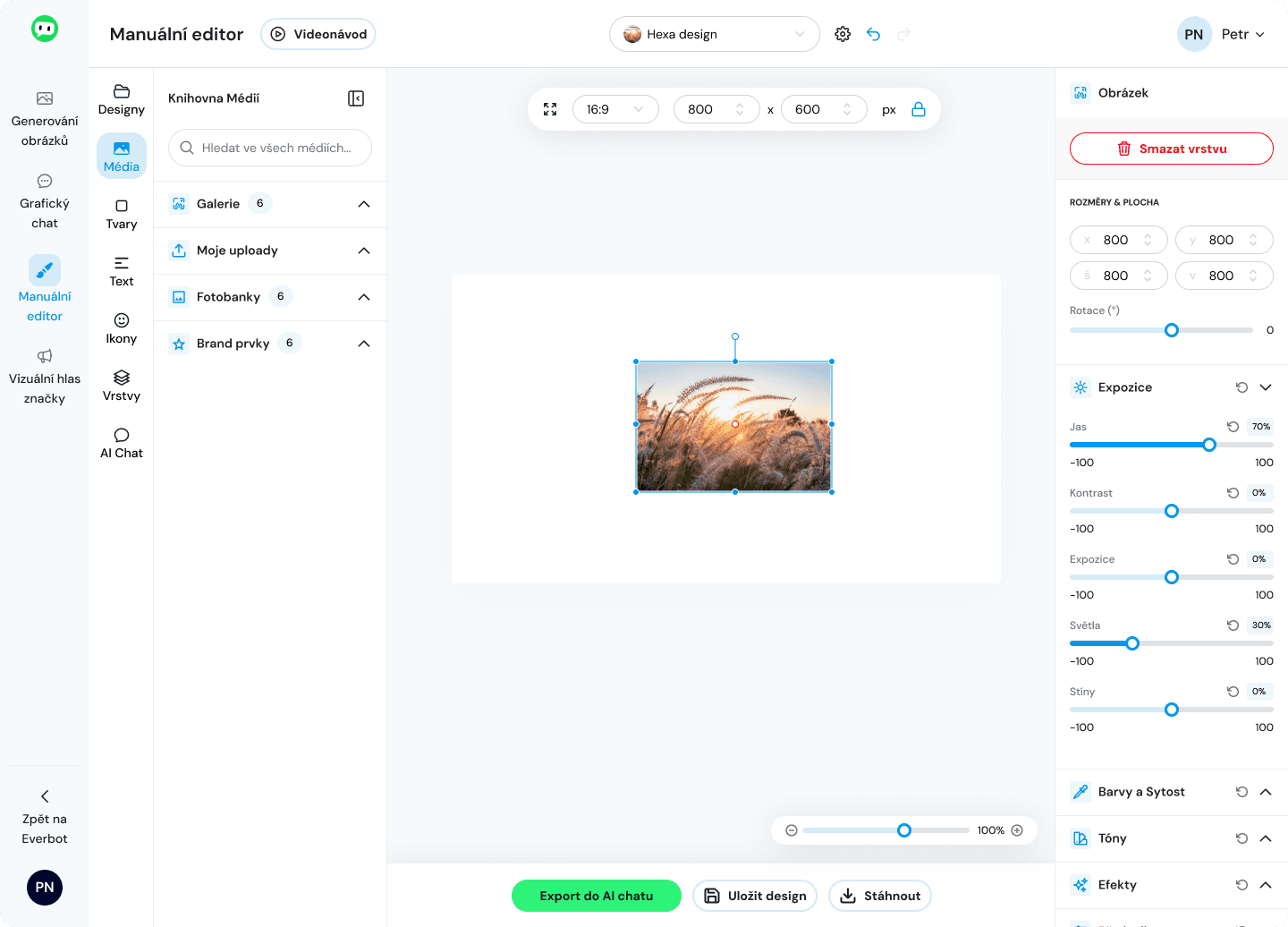
I designed the editor as a workspace divided into three main zones — tools, canvas, and properties.
The user works naturally: selects tools on the left, edits content in the center, and adjusts details in the right panel.
The left panel serves as an entry point for all actions — media, text, shapes, or AI features.
The center is a clean workspace without distracting elements, with a focus on the content itself.
The right panel is contextual — it shows only the properties of the currently selected element, reducing interface complexity.
The user is not overwhelmed by all options at once.
👉 The result is fast orientation, intuitive content manipulation, and seamless integration of manual and AI tools.